DTF Transfers in Maryland: A Pre-Press Reconciliation Workflow That Reduces Rework
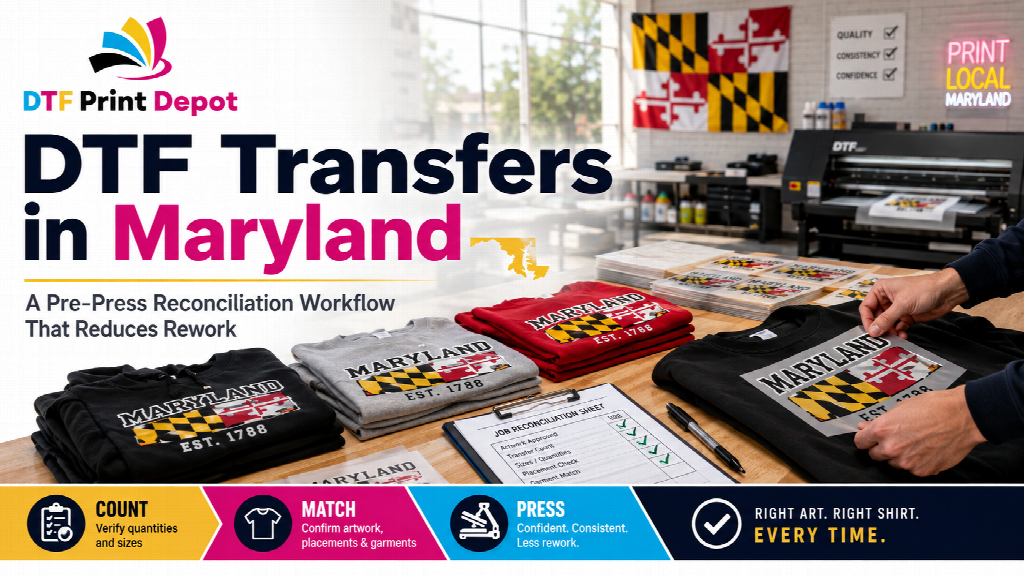
For Maryland businesses using DTF transfers, one of the biggest avoidable costs is not always the transfer itself. It can be the time lost when the wrong artwork is pressed onto the wrong garment, a size is missing halfway through production, or the transfer count does not match the garment count.
That is why businesses ordering DTF transfers in Maryland should add one simple step between receiving transfers and starting the heat press: reconciliation.
Reconciliation means checking that the transfers, artwork versions, garment groups, placements, and quantities all match before production begins. It is a simple control step, but it can prevent a small mismatch from turning into an entire batch of unusable garments.
What Reconciliation Means Before Pressing
Before the first garment reaches the heat press, confirm four things:
- The correct artwork version arrived.
- The transfer dimensions match the intended garments and placements.
- The transfer quantities match the garment quantities.
- Every garment group has a clearly assigned transfer.
This happens after the transfers arrive but before production starts. It is different from artwork preparation, which happens before the order is submitted. It is also different from first-piece quality control, which checks the finished result after the first transfer has been pressed.
Reconciliation is designed to catch problems while they are still inexpensive to correct.
Build Garment Groups Before Starting Production
A mixed apparel order should not begin as one large pile of garments and transfers.
Instead, divide the job into practical production groups. Depending on the order, those groups might be based on garment size, garment color, department, customer order, artwork version, or decoration placement.
For example, front-logo shirts should be separated from garments requiring both front and back decoration. Hoodies may need to be separated from T-shirts. Different employee departments may use similar garments but different artwork.
Once the garments are grouped, place the matching transfers with each group.
This creates an immediate visual checkpoint. If one group contains 20 garments but only 19 transfers, the shortage can be identified before pressing begins. If two similar artwork versions have been supplied, they can be separated before an operator accidentally mixes them.
Confirm Transfer Size Against the Actual Garment
A transfer file can be technically correct while the finished placement still looks wrong.
Before pressing a full batch, place a representative transfer over the garment it is intended for. Check the transfer width, height, visual balance, seams, pockets, collars, zippers, and available print area.
This is particularly useful when the same artwork appears across multiple garment types.
A standard T-shirt, hoodie, work shirt, and tote may all carry the same logo, but that does not automatically mean the same transfer dimensions and placement will produce the best result on every item.
If something looks questionable, resolve it before the transfer is permanently applied.
Count Transfers by Production Role
Total quantity alone does not always provide enough production control.
An order may contain 100 transfers, but those transfers could represent several different production requirements:
- 40 front logos for black shirts
- 25 front logos for gray shirts
- 20 full-back graphics
- 15 sleeve graphics
The total is still 100, but the grouped count immediately shows whether each part of the job has enough transfers.
This becomes especially important when several designs are included in one production run. A high quantity of one design should not hide a shortage in another.
Create a Clear “Do Not Press” Area
Anything uncertain should be removed from the normal production flow.
Create a small designated area for transfers with unclear artwork, unexpected dimensions, damaged film, missing labels, questionable quantities, or any other issue that needs confirmation.
The rule should be simple: if the transfer is uncertain, it does not reach the heat press until someone verifies it.
This prevents an unresolved question from moving down the production line and becoming a larger problem.
Make Repeat Orders Easier
Reconciliation is also useful after the job is completed because it creates a verified production reference.
Save the confirmed artwork name, garment type, transfer dimensions, placement, and final quantity. If the same customer or business places another order later, the next production run can begin with proven information instead of rebuilding the job from memory.
Businesses planning larger or recurring apparel orders can also review the Maryland DTF transfer guide for a broader look at DTF transfers, gang sheets, local pickup, equipment, and ordering considerations for Maryland businesses.
A Controlled Workflow Reduces Expensive Mistakes
The most effective DTF production workflow is not simply the fastest one. It is the workflow that catches mistakes before they become permanent.
Before pressing, match the transfer to the correct garment, match the quantity to the production group, and match the artwork version to the approved job.
A short reconciliation step can save time, reduce wasted garments, simplify repeat orders, and make larger DTF production runs easier to manage.